
Run your entire business in one system
Connect sales, inventory, purchasing, accounting, and point of sale in one system built for your business.
- Connected operations
- Arabic and English ERP
- Offline invoicing
Build orders, manage open drafts, and print receipts from a single checkout screen.
- Connected operations
- Arabic and English ERP
- Offline invoicing
Track stock by location, record supplier purchases, and see how goods move between warehouses.
- Connected operations
- Arabic and English ERP
- Offline invoicing
Follow the financial impact of daily operations through journal entries, balances, and financial statements.
- Connected operations
- Arabic and English ERP
- Offline invoicing
See which tables are occupied, track orders, and split or combine bills from the same workspace.
- Connected operations
- Arabic and English ERP
- Offline invoicing
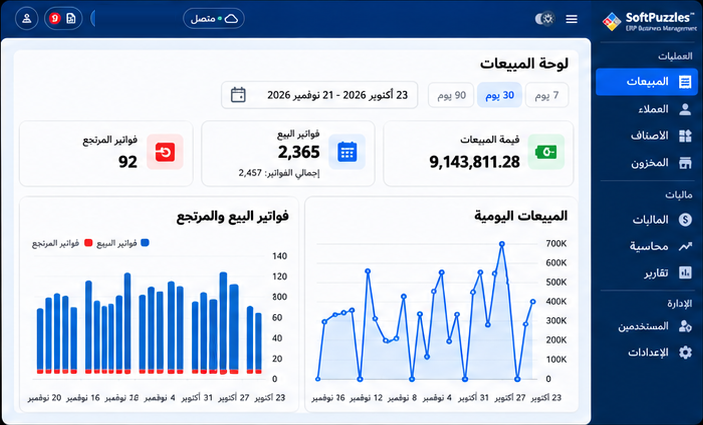
Slide 1 / 5. Run your entire business in one system
Key Features
Sales and POS
Issue invoices and returns, manage cashier shifts, and print receipts from the counter.
Inventory
Track quantities, stock movements, and costs across your warehouses and branches.
Accounting
Connect daily transactions to journals, balances, and financial statements.
Purchasing
Record supplier purchases and returns with their stock movements and balances.
Customers and suppliers
Keep contact records, settlements, and account statements together.
Reports and analytics
Review sales, stock, profitability, and shift performance with filtered reports.
How different businesses use SoftPuzzles
Find the workflows that fit how you sell, stock, and deliver.
Retail
Run counter sales, manage stock, and handle returns from one system.
Wholesale
Work with pack quantities and price lists, and keep track of customer balances.
Cafés and restaurants
Manage tables, successive orders, and split bills from the same screen.
Sizes and colours
Track available stock by size and colour for each product.
Basic manufacturing
Record production orders, materials used, and finished goods.
Keep invoicing when the connection drops
Supported invoice workflows save invoices locally during an interruption. When the connection returns, SoftPuzzles attempts to send queued invoices for server acceptance.
Save on this device
Continue using supported invoice workflows during the outage.
Queue for delivery
The invoice stays pending until the server accepts it.
Review delivery status
Check unresolved submissions once you reconnect.
See SoftPuzzles in action
Explore the screens for sales, orders, shifts, and finance. Select a screenshot to see it at full size.
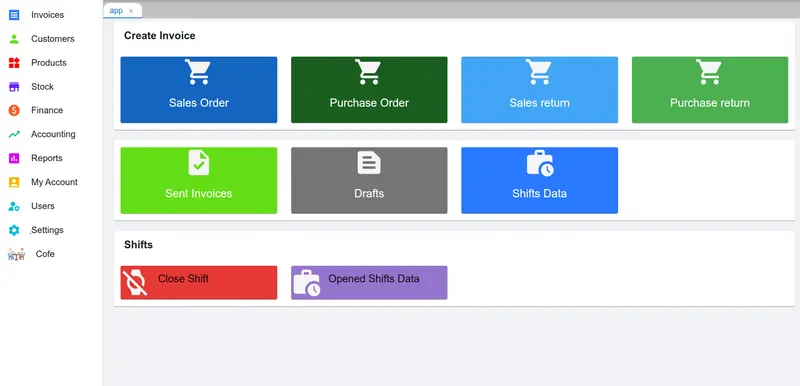
Sales overview
Open sales, purchases, returns, and shift tools.
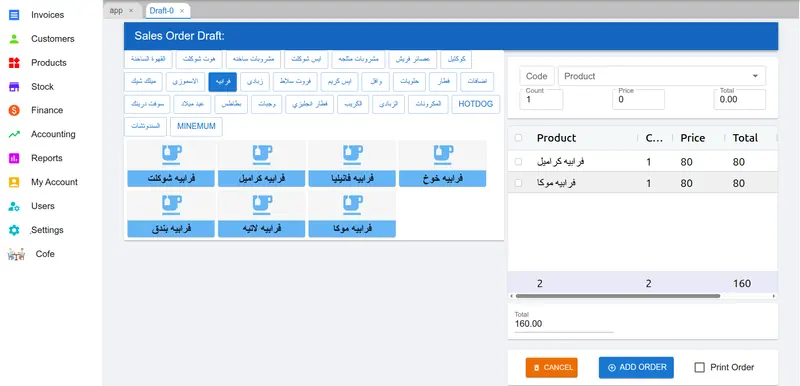
Items menu
Browse product categories and add items to an order.
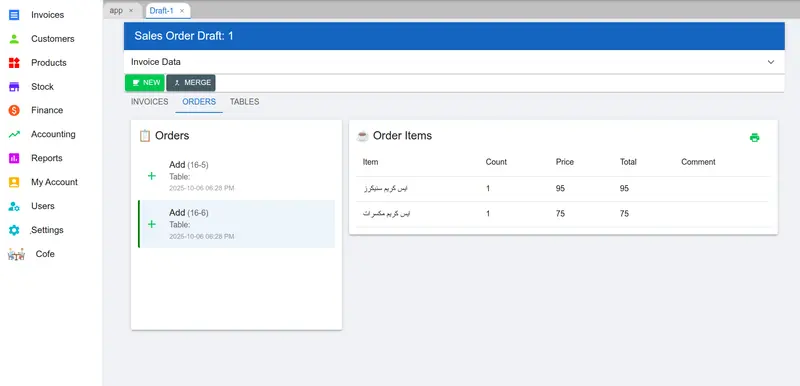
Invoice orders
Follow orders and their line items in one view.
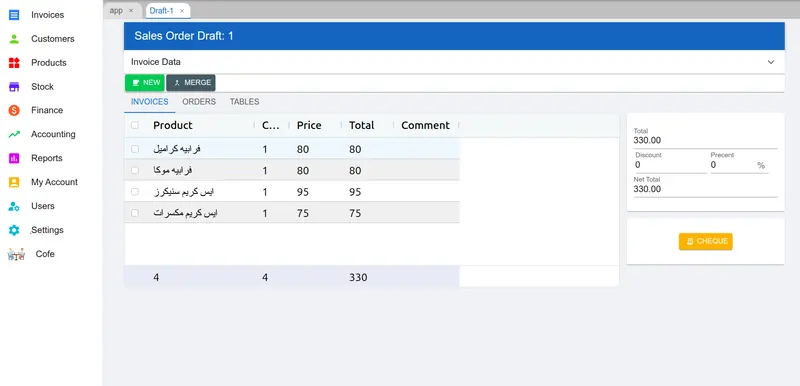
Invoice items
Review quantities, prices, and invoice totals.
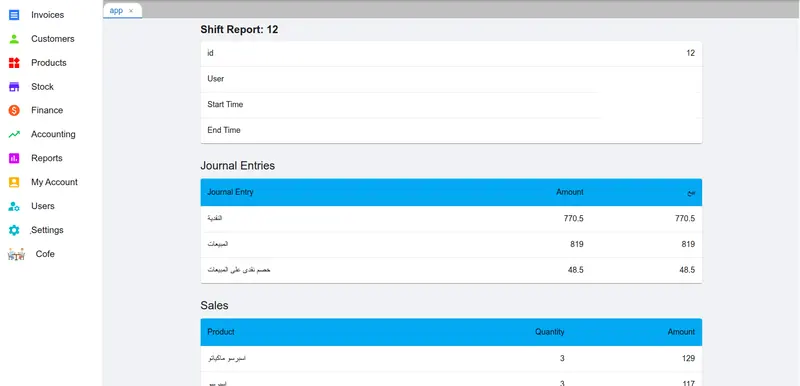
Shift sales and journal entries
Read shift sales and journal entries together.
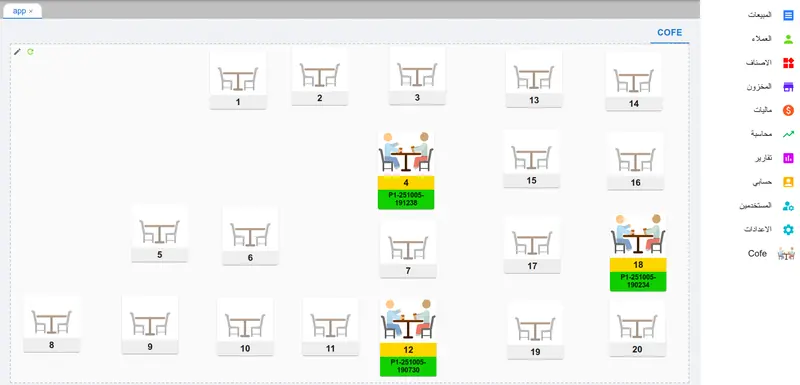
Restaurant table management
See table availability and open orders.
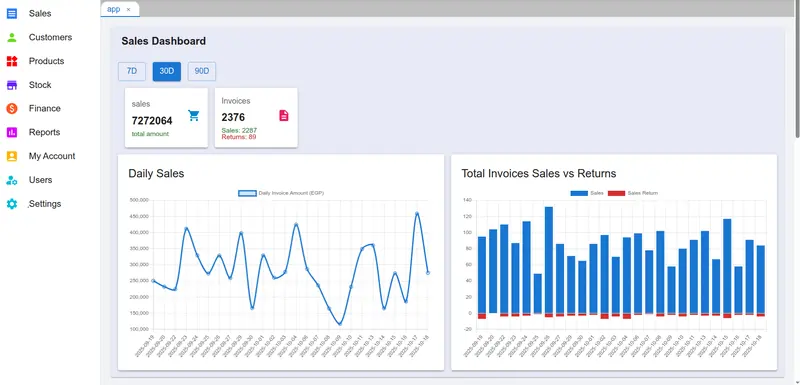
Sales dashboard
Compare daily sales and returns by period.
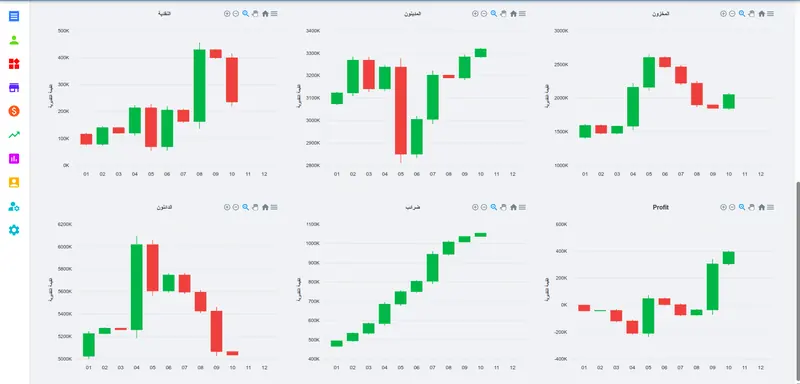
Financial dashboard
Review financial trends across accounts.


Plans & Pricing
One connected ERP for the workflows your business needs. Talk with our team about a quote for your setup.
A quote tailored to your business
SoftPuzzles brings sales, stock, and accounts together, with workflows for retail, cafés, and manufacturing.
Request a quoteWhat SoftPuzzles brings together
- Sales and point of sale
- Inventory and purchasing
- Accounting and financial reports
- Retail, café, and manufacturing workflows
Start with your business
Tell us about your operations and what you want to manage with SoftPuzzles.
Request a workspace
Online workspace requests are currently unavailable. Please check back later.